CORS
Simple JWT Login includes built-in Cross-Origin Resource Sharing (CORS) support, implemented in compliance with the W3C CORS specification.
CORS controls which external origins (domains, ports, protocols) are permitted to call the plugin's REST endpoints from a browser. Without the appropriate CORS headers, browsers block cross-origin requests for security reasons.
Configure CORS under Settings → Simple JWT Login → CORS.
When you need CORS
Enable CORS if your front-end application lives on a different domain than your WordPress site. Common scenarios:
- Headless WordPress - front-end on
app.example.com, WordPress onapi.example.com - Single-page applications built with React, Vue, Angular, or similar frameworks
- Mobile apps that enforce CORS in their HTTP client
Settings
Allow CORS Support

Enable or disable CORS header injection on all plugin responses. When disabled, no CORS headers are added.
CORS Headers Configuration
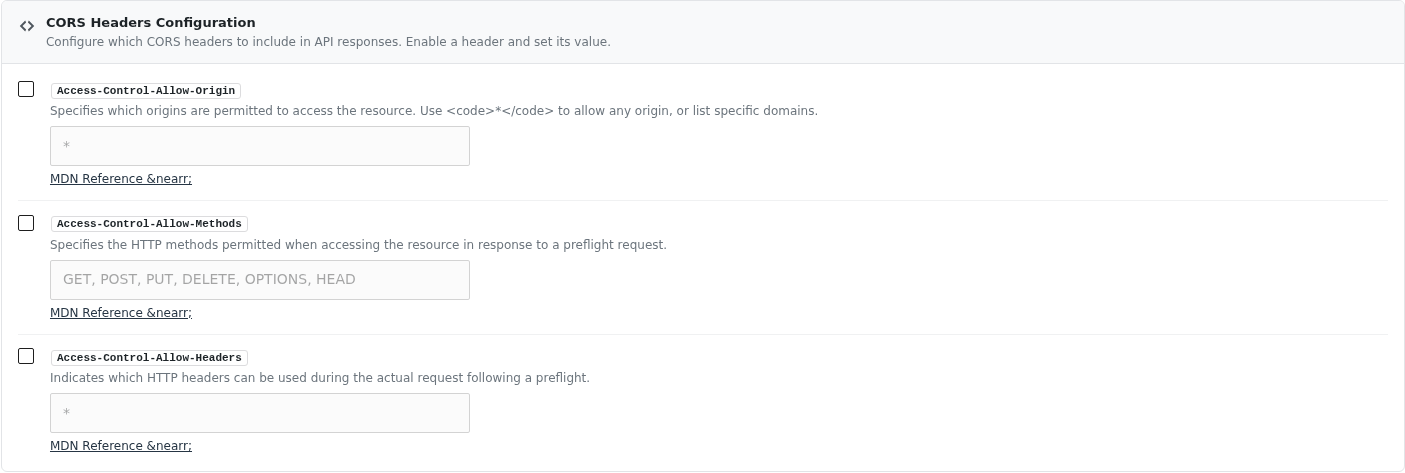
Enable each header individually and configure its value:
Access-Control-Allow-Origin
Specifies which origins are permitted to access the resource.
| Value | Behaviour |
|---|---|
* | Any origin is allowed (permissive - suitable for public APIs) |
https://app.example.com | Only that specific origin is allowed |
https://app1.com, https://app2.com | Multiple specific origins (comma-separated) |
Default example value: *
Access-Control-Allow-Methods
Lists the HTTP methods permitted when accessing the resource in response to a browser preflight (OPTIONS) request.
Example value: GET, POST, OPTIONS
Access-Control-Allow-Headers
Lists which HTTP request headers can be used during the actual cross-origin request.
Example value: Content-Type, Authorization
Include Authorization if you send JWT tokens via the Authorization: Bearer header.
Recommended configuration for headless WordPress
Access-Control-Allow-Origin:  https://your-frontend-domain.com
Access-Control-Allow-Methods: GET, POST, PUT, DELETE, OPTIONS
Access-Control-Allow-Headers: Content-Type, Authorization
A wildcard Access-Control-Allow-Origin: * is simpler to configure and generally safe for JWT-protected APIs (tokens cannot be forged), but restricting to your specific front-end origin is a good defence-in-depth measure.