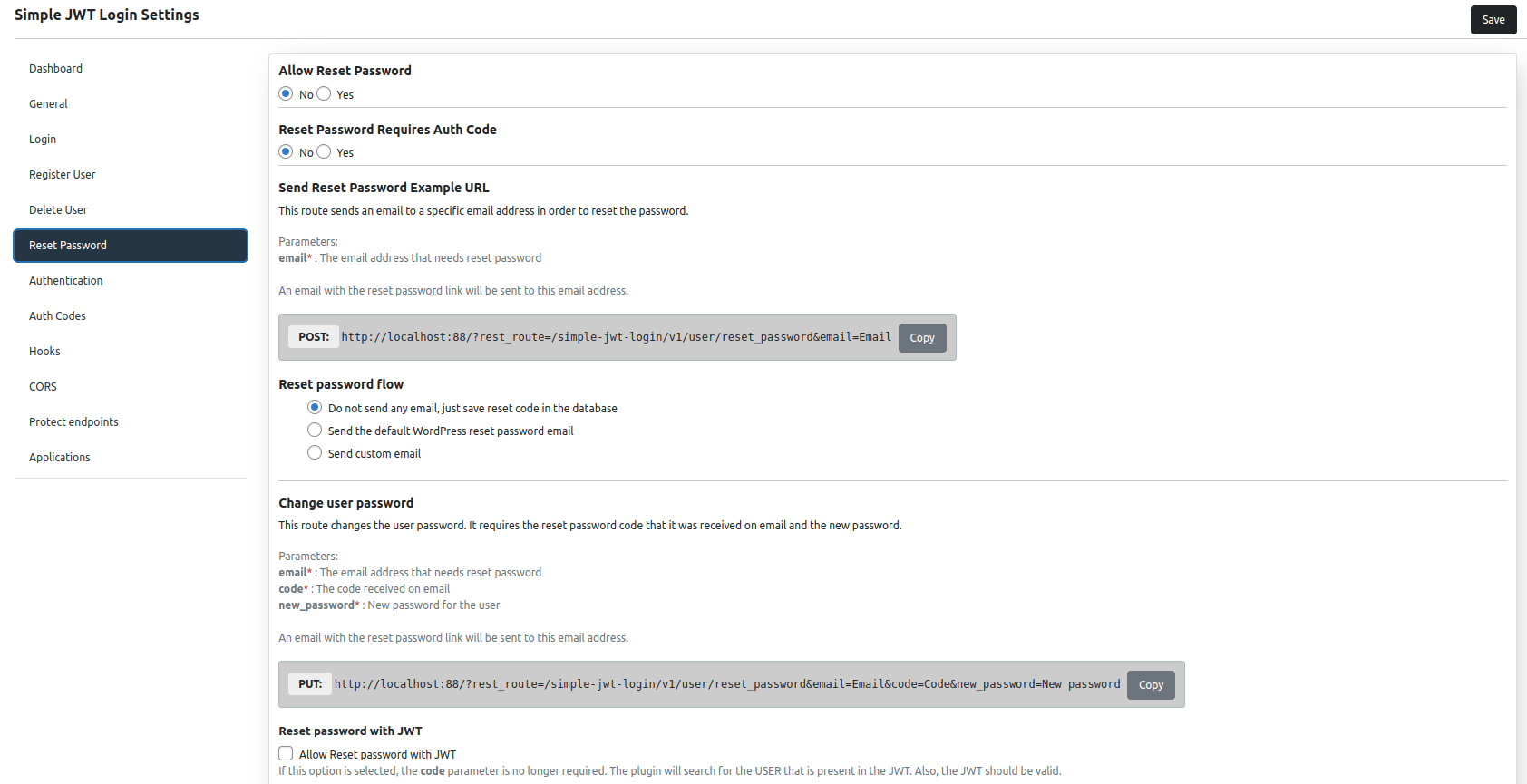
Change password
This endpoint completes the password reset flow by applying a new password. The user must supply the reset code they received by email (from the Reset Password step), along with their email address and the desired new password.
Alternatively, if "Allow Reset password with JWT" is enabled in the plugin settings, a valid JWT can be used instead of a reset code.
METHOD : PUT
ENDPOINT : /simple-jwt-login/v1/users/reset_password
URL Example : https://{{yoursite}}/?rest_route=/simple-jwt-login/v1/users/reset_password&email={{email}}&code={{code}}&new_password={{new_password}}&AUTH_KEY={{AUTH_KEY_VALUE}}
PARAMETERS:
| Parameter | Type | Description |
|---|---|---|
required string | The email address that wants to reset the password. | |
| code | required string | The reset password code. |
| new_password | required string | The new user password. |
| AUTH_KEY | optional string | Required only when option "Reset password requires AUTH CODE". |
| JWT | optional string | To reset the password with a JWT, enable "Allow Reset password with JWT" in the plugin settings. If a valid JWT is provided, the code parameter is no longer required. |
Request
{
  "email" : "[email protected]",
  "code": "MY_CODE",
  "new_password": "YOUR_SECRET_PASSWORD",
  "AUTH_KEY" : "MY_SECRET_AUTH_KEY"
}
Response
200
{
  "success": true,
  "message": "User password has been changed."
}
400
{
  "success": false,
  "data": {
    "message": "string",
    "errorCode": 0
  }
}
Examples
SHELL
curl -X PUT https://simplejwtlogin.com/wp-json/simple-jwt-login/v1/users/reset_password \
  -H "Content-type: application/json" \
  -d '{"email":"[email protected]", "code": "123", "new_password": "test"}'
PHP
$simpleJwtLogin = new \SimpleJwtLoginClient\SimpleJwtLoginClient(
    'https://simplejwtlogin.com',
    '/simple-jwt-login/v1'
);
$result = $simpleJwtLogin->changePassword('[email protected]', 'new password', 'code', null, 'AUTH CODE');
JavaScript
var data = JSON.stringify({
    "email":"[email protected]",
    "code": "123",
    "new_password": "test"
});

var xhr = new XMLHttpRequest();
xhr.withCredentials = true;

xhr.addEventListener("readystatechange", function() {
    if(this.readyState === 4) {
        console.log(this.responseText);
    }
});

xhr.open("PUT", "https://simplejwtlogin.com" + "/simple-jwt-login/v1/users/reset_password");
xhr.setRequestHeader("Content-Type", "application/json");

xhr.send(data);
Screenshot