Reset password
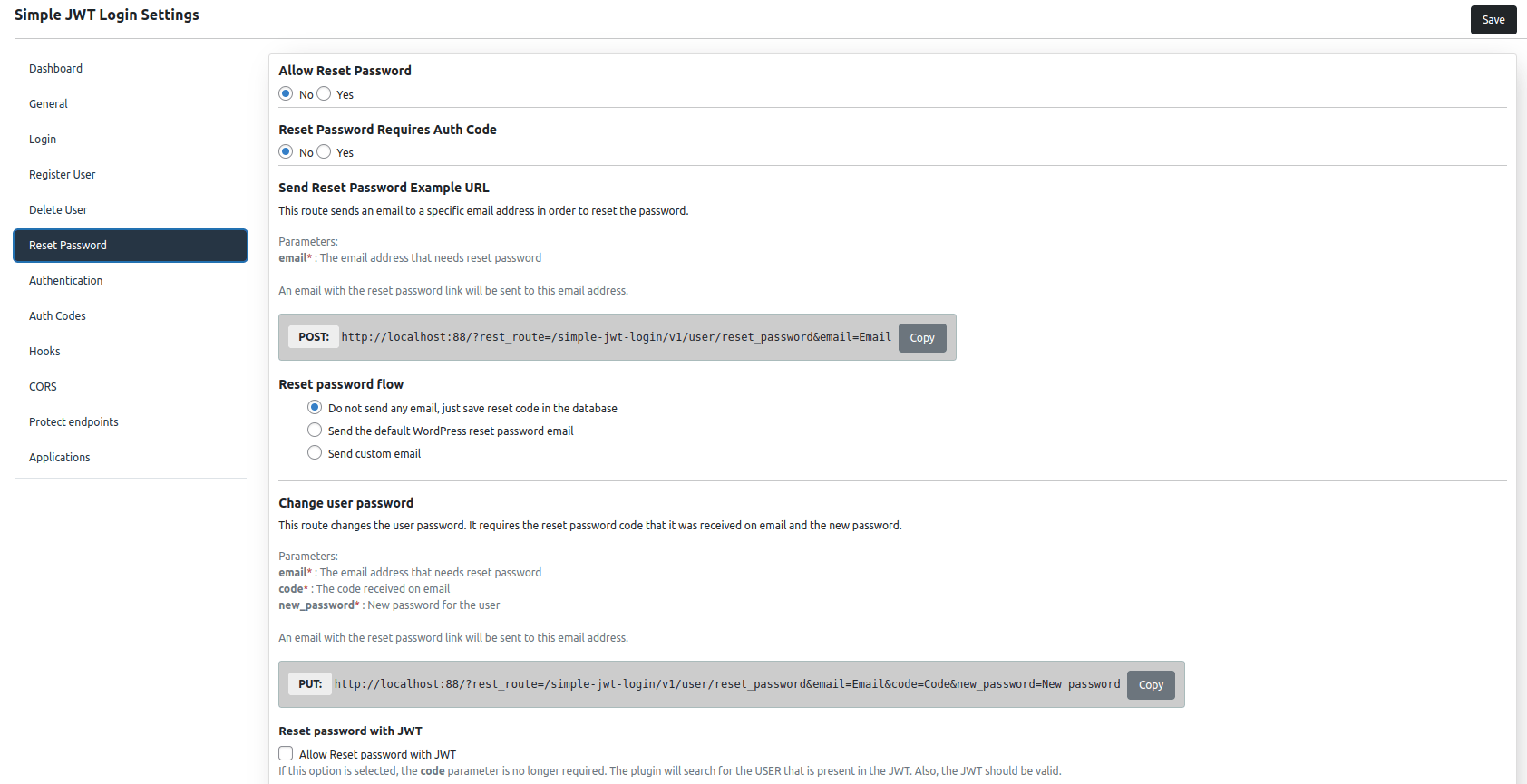
This endpoint initiates the password reset flow for an existing WordPress user. Depending on the plugin configuration, it can silently save a reset code to the database, send the standard WordPress reset email, or deliver a fully customized email template.
METHOD : POST
ENDPOINT : /simple-jwt-login/v1/users/reset_password
URL Example : https://{{yoursite}}/?rest_route=/simple-jwt-login/v1/users/reset_password&email={{email}}&AUTH_KEY={{AUTH_KEY_VALUE}}
PARAMETERS:
| Parameter | Type | Description |
|---|---|---|
required string | The email that requests the password change | |
| AUTH_CODE | optional string | Required only when option "Reset password requires AUTH CODE". |
Request
{
  "email" : "my_email",
  "AUTH_CODE" : "MY_SECRET_AUTH_KEY"
}
Response
200
{
  "success": true,
  "message": "Reset password email has been sent."
}
400
{
  "success": false,
  "data": {
    "message": "string",
    "errorCode": 0
  }
}
Examples
SHELL
curl -X POST https://simplejwtlogin.com/wp-json/simple-jwt-login/v1/users/reset_password \
  -H "Content-type: application/json" \
  -d '{"email":"test@simplejwtlogin.com", "AUTH_CODE": "123"}'
PHP
$simpleJwtLogin = new \SimpleJwtLoginClient\SimpleJwtLoginClient(
    'https://simplejwtlogin.com',
    '/simple-jwt-login/v1'
);
$result = $simpleJwtLogin->resetPassword('email@simplejwtlogin.com', 'AUTH CODE');
JavaScript
var data = JSON.stringify({
    "email":"test@simplejwtlogin.com",
    "code": "123",
    "new_password": "test"
});

var xhr = new XMLHttpRequest();
xhr.withCredentials = true;

xhr.addEventListener("readystatechange", function() {
    if(this.readyState === 4) {
        console.log(this.responseText);
    }
});

xhr.open("POST", "https://simplejwtlogin.com" + "/simple-jwt-login/v1/users/reset_password");
xhr.setRequestHeader("Content-Type", "application/json");

xhr.send(data);
Screenshot
Features
Reset password modes
The plugin supports three delivery modes for the reset password flow:
| Mode | Behaviour |
|---|---|
| Silent (code only) | Generates and saves a reset code to the database without sending any email. Use this when your front-end handles its own email delivery. |
| Default WordPress email | Sends the standard WordPress password reset email. |
| Custom email | Sends a fully customisable email (plain text or HTML) with your own subject and body. |
Custom email template
When using the custom email mode you can write your own subject and body. The body supports the following variables, which are replaced with real values at send time:
| Variable | Description |
|---|---|
{{CODE}} | Required. The reset password code the user must submit to change their password. |
{{NAME}} | User's full name (first + last) |
{{EMAIL}} | User's email address |
{{NICKNAME}} | User's nickname |
{{FIRST_NAME}} | User's first name |
{{LAST_NAME}} | User's last name |
{{SITE}} | Website URL |
{{IP}} | IP address of the client that triggered the reset |
Email body example:
    Welcome {{LAST_NAME}},

    Your reset code for {{SITE}} is {{CODE}}.

    This reset email has been generated from: {{IP}}
Hooks:
In order to use a custom email template for reset password, you can use the simple_jwt_login_hook.
add_filter('simple_jwt_login_reset_password_custom_email_template', function($template, $request) {
   return "
        Hello {{FIRST_NAME}},
        Here is your reset password code.

        <b>Your code</b>: {{CODE}}
   ";
}, 10, 2);