Authentication
Use this endpoint to exchange WordPress credentials for a signed JWT. The returned token can then be included in subsequent requests to protected endpoints or used to auto-login users.
You can authenticate using any of the following combinations:
- email + password - standard credential pair
- username + password - use the WordPress username instead of email
- login + password - mirrors the WordPress login page behaviour; accepts either email or username
Explore and test this endpoint using the interactive API reference →
Endpoint
METHOD: POST
ENDPOINT: /simple-jwt-login/v1/auth
URL Example: http://{{yoursite}}/?rest_route=/simple-jwt-login/v1/auth&email={{email}}&password={{password}}
PARAMETERS:
| Parameter | Type | Description |
|---|---|---|
email | required* string | User email address. Required when username and login are absent. |
username | required* string | WordPress username. Required when email and login are absent. |
login | required* string | WordPress username or email. Simulates the WordPress login page flow. Required when email and username are absent. |
password | required* string | User plain-text password. Required when password_hash is absent. |
password_hash | optional string | The user's hashed password as stored in the database. Required when password is absent. |
AUTH_KEY | optional string | Auth Code value. Required only if "Require Authentication Code" is enabled. The parameter name matches the Auth Code URL Key configured in Auth Codes settings (default: AUTH_KEY). |
payload | optional string | object | Extra claims merged into the JWT payload. Send a JSON-encoded string for form-encoded/query-string requests, or a native JSON object for JSON body requests. Reserved claims are always overridden by the authenticated user's data and cannot be set this way. |
Request
{
  "email": "test@simplejwtlogin.com",
  "password": "SomeSuperSecretPassword"
}
With username and password hash:
{
  "username": "myuser",
  "password_hash": "PasswordStoredInTheDB"
}
With login (accepts email or username) and auth code:
{
  "login": "username or email",
  "password": "SomeSuperSecretPassword",
  "AUTH_KEY": "MySecretAuthCode"
}
With extra payload claims (JSON body - native object):
{
  "email": "test@simplejwtlogin.com",
  "password": "SomeSuperSecretPassword",
  "payload": {
    "department": "engineering",
    "region": "eu"
  }
}
With extra payload claims (form-encoded/query-string - JSON-encoded string):
email=test@simplejwtlogin.com&password=SomeSuperSecretPassword&payload={"department":"engineering","region":"eu"}
Responses
200
{
  "success": true,
  "data": {
    "jwt": "eyJhbGciOiJIUzI1NiIsInR5cCI6IkpXVCJ9.eyJzdWIiOiIxMjM0NTY3ODkwIiwibmFtZSI6IkpvaG4gRG9lIiwiaWF0IjoxNTE2MjM5MDIyfQ.SflKxwRJSMeKKF2QT4fwpMeJf36POk6yJV_adQssw5c",
    "refresh_token": "a1b2c3d4e5f678901234567890123456789012345678901234567890123456789012"
  }
}
refresh_token is only present when the refresh token feature is enabled in plugin settings.
400
Bad request - required parameters are missing.
{
  "success": false,
  "data": {
    "message": "Email or username is required.",
    "errorCode": 46
  }
}
401
Unauthorized - credentials are incorrect or the auth code is invalid.
{
  "success": false,
  "data": {
    "message": "Wrong user credentials.",
    "errorCode": 48
  }
}
403
Forbidden - authentication is disabled in plugin settings.
{
  "success": false,
  "data": {
    "message": "Authentication is not enabled.",
    "errorCode": 45
  }
}
500
Internal server error.
{
  "success": false,
  "data": {
    "message": "An unexpected error occurred.",
    "errorCode": 16
  }
}
Examples
SHELL
curl -X POST https://simplejwtlogin.com/?rest_route=/simple-jwt-login/v1/auth \
  -H "Content-type: application/json" \
  -d '{"email":"test@simplejwtlogin.com","password":"mySecretPassword"}'
PHP
$simpleJwtLogin = new \SimpleJwtLoginClient\SimpleJwtLoginClient(
    'https://simplejwtlogin.com',
    '/simple-jwt-login/v1'
);
$result = $simpleJwtLogin->authenticate('email@simplejwtlogin.com', 'your password', 'AUTH CODE');
Error responses
All error responses follow the standard envelope:
{
  "success": false,
  "data": {
    "message": "Human-readable error description",
    "errorCode": 48
  }
}
Common error codes:
| Code | Meaning |
|---|---|
45 | Authentication is not enabled in plugin settings. |
46 | Email or username is missing from the request. |
47 | Password is missing from the request. |
48 | Credentials are incorrect. |
Settings
Configure the authentication feature under Settings → Simple JWT Login → Authentication.
Allow JWT Authentication
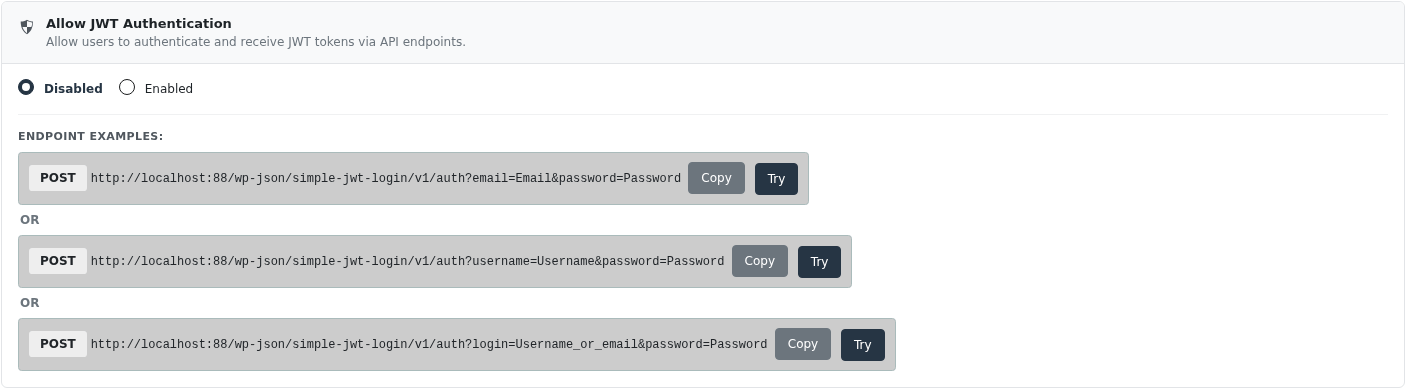
Enable or disable the authentication endpoint. When disabled, POST /auth returns a 403 error.
Require Authentication Code

When enabled, every authentication request must include a valid Auth Code. The parameter name is the Auth Code URL Key from the Auth Codes settings (default: AUTH_KEY).
Authentication Options

Base64-encoded password
Enable when the password or password_hash value is Base64-encoded before sending. Useful when passwords contain special characters that would be mangled in query string parameters.
JWT Header Configuration
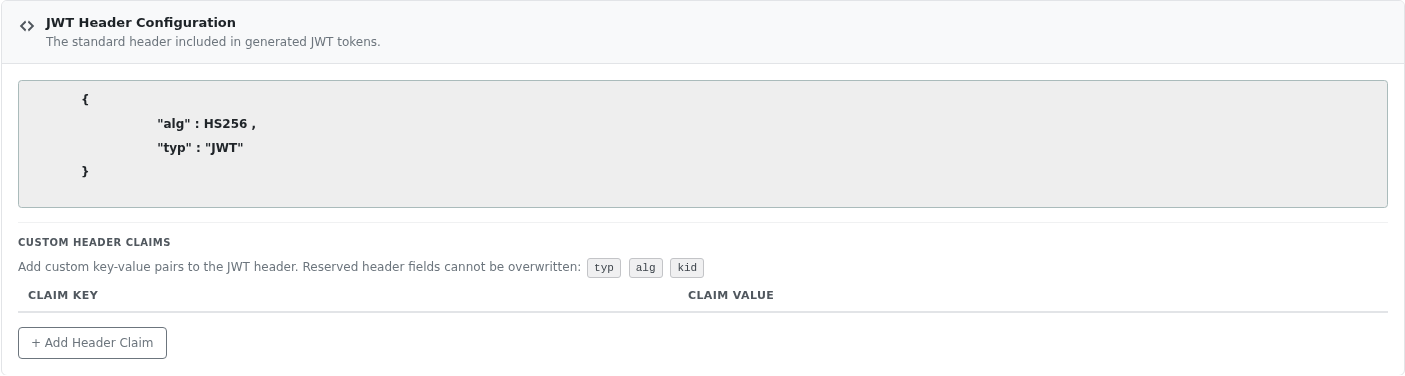
The JWT header always includes the standard alg and typ fields. You can add extra static key-value pairs to the header using Custom Header Claims.
The following header fields are reserved and cannot be overwritten by custom claims: typ, alg, kid.
Example JWT header with a custom claim:
{
  "alg": "HS256",
  "typ": "JWT",
  "x-app-id": "my-app"
}
JWT Payload Configuration
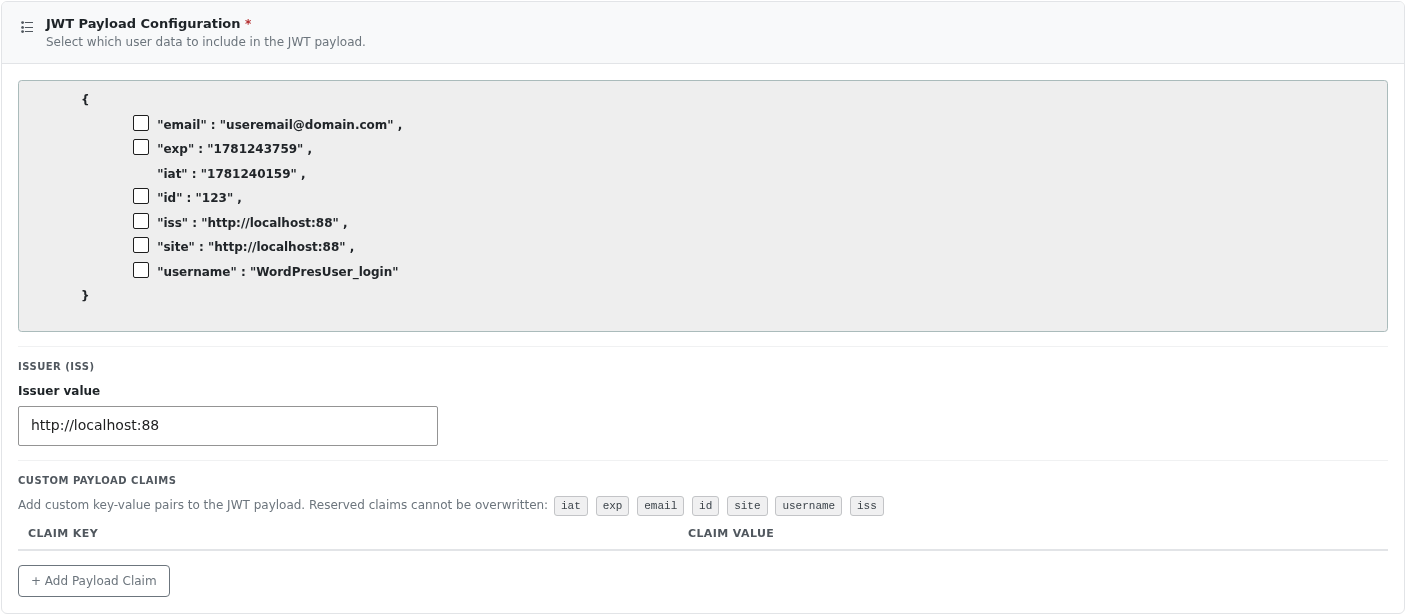
Choose which user data fields are included in the JWT payload. At minimum, iat (issued-at timestamp) is always present.
| Claim | Description |
|---|---|
iat | Unix timestamp when the JWT was issued. Always included, cannot be removed. |
exp | Unix timestamp when the JWT expires. If omitted, the token never expires. |
email | The authenticated user's email address. |
id | The WordPress user ID. |
site | The site URL where the token was generated. |
username | The WordPress user_login value. |
iss | Issuer claim. The value is taken from the Issuer value field below. |
Issuer (iss)
When iss is enabled in the payload, this field sets its value. Defaults to the site URL if left blank. Used to identify the token's origin, especially in multi-provider setups.
Custom Payload Claims
Add static key-value pairs to the JWT payload. These are injected into every token generated by the plugin. To add claims on a per-request basis instead, use the payload parameter on POST /auth.
The following payload keys are reserved and cannot be overwritten - either from these settings or from the payload request parameter: iat, exp, email, id, site, username, iss.
Example:
{
  "iat": 1718000000,
  "exp": 1718003600,
  "email": "user@example.com",
  "id": 42,
  "department": "engineering",
  "app_version": "2.1.0"
}
JWT Expiration

How long (in minutes) the generated JWT is valid. After this period the token is rejected by the plugin's validation and auto-login endpoints.
Default: 60 minutes.
Set to 0 to disable expiry (not recommended for production).
Access Control

Restrict authentication requests to a comma-separated list of trusted IP addresses. Leave blank to allow requests from any IP.
192.0.1.1, 192.2.2.2
The wildcard * is supported in any octet, which is useful for allowing an entire subnet:
85.*.*.*, 86.*.*.*