Dashboard
The Dashboard is the first page you see when you open Simple JWT Login (Settings → Simple JWT Login → Dashboard). It gives you an at-a-glance status view of every feature in the plugin, organized into four groups. Each card links directly to the corresponding settings page.
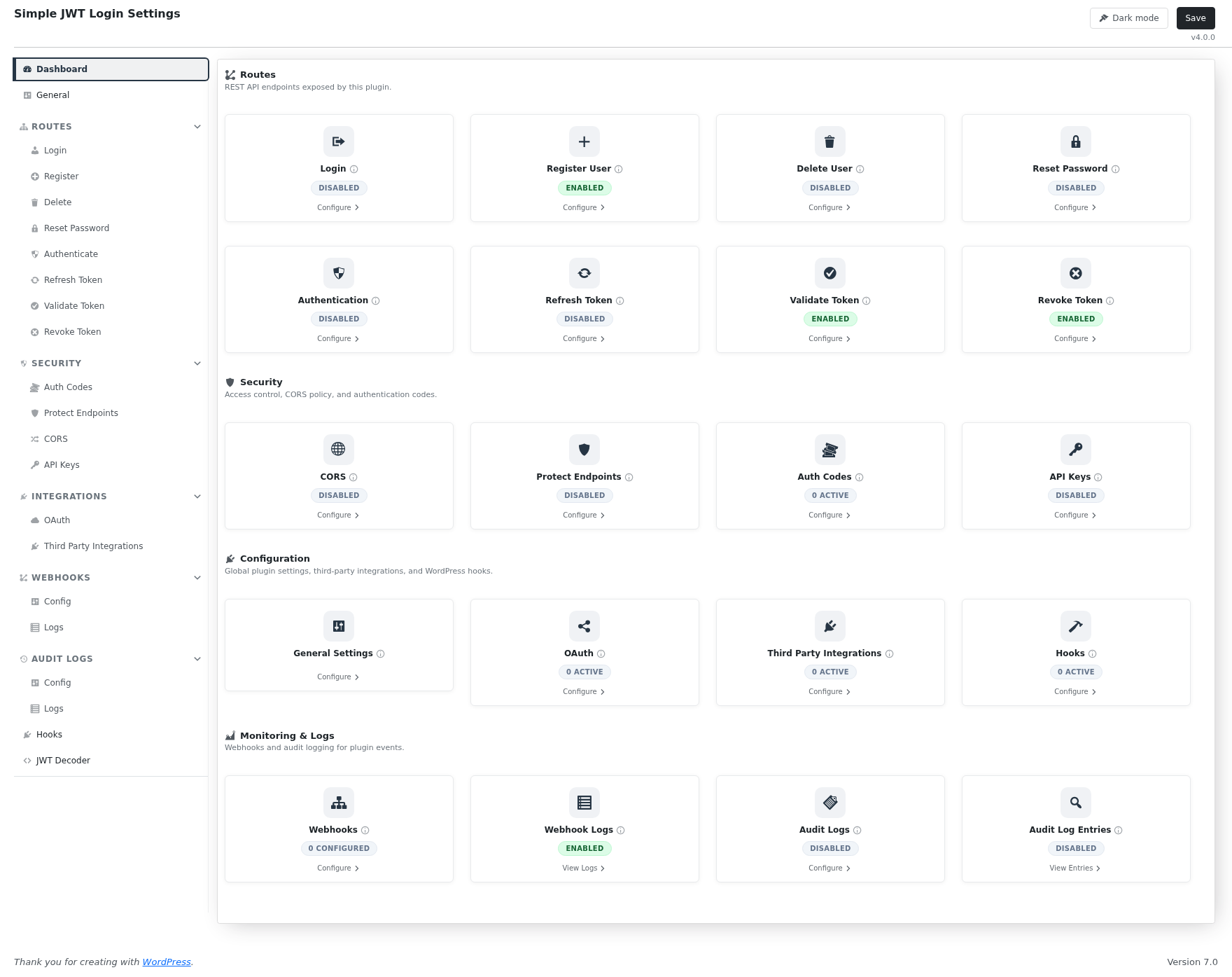
Routes
REST API endpoints exposed by the plugin and whether each one is currently enabled.
| Card | What it shows |
|---|---|
| Login | Whether auto-login via JWT is enabled |
| Register User | Whether the user registration endpoint is open |
| Delete User | Whether users can delete their own account via the API |
| Reset Password | Whether the password reset endpoint is enabled |
| Authentication | Whether JWT generation (POST /auth) is enabled |
| Refresh Token | Whether clients can exchange a refresh token for a new JWT |
| Validate Token | Whether the token validation endpoint is enabled |
| Revoke Token | Whether clients can invalidate a JWT before it expires |
Security
Access control, CORS policy, and authentication codes.
| Card | What it shows |
|---|---|
| CORS | Whether CORS headers are being injected on plugin responses |
| Protect Endpoints | Whether REST route protection is enabled |
| Auth Codes | Number of active authentication codes configured |
| API Keys | Whether API key authentication is enabled |
Configuration
Global plugin settings, third-party integrations, and WordPress hooks.
| Card | What it shows |
|---|---|
| General Settings | Links to the JWT algorithm, decryption key, input sources, and global options |
| OAuth | Number of OAuth providers (Google, Auth0, Facebook, GitHub) currently enabled |
| Third Party Integrations | Number of third-party plugin integrations (WPGraphQL, Two-Factor, Force Login) currently enabled |
| Hooks | Number of Simple JWT Login hooks that have active listener configurations |
Monitoring & Logs
Webhooks and audit logging.
| Card | What it shows |
|---|---|
| Webhooks | Number of webhooks configured |
| Webhook Logs | Whether webhook log storage is enabled; links to the log viewer |
| Audit Logs | Whether audit logging is enabled |
| Audit Log Entries | Links directly to the stored audit log entries |
Quick start
If this is your first time setting up the plugin, start with General Settings to set your JWT signing key and algorithm, then enable the specific routes your application needs.