WPGraphQL
Requires the WPGraphQL plugin to be installed and activated.

What it does
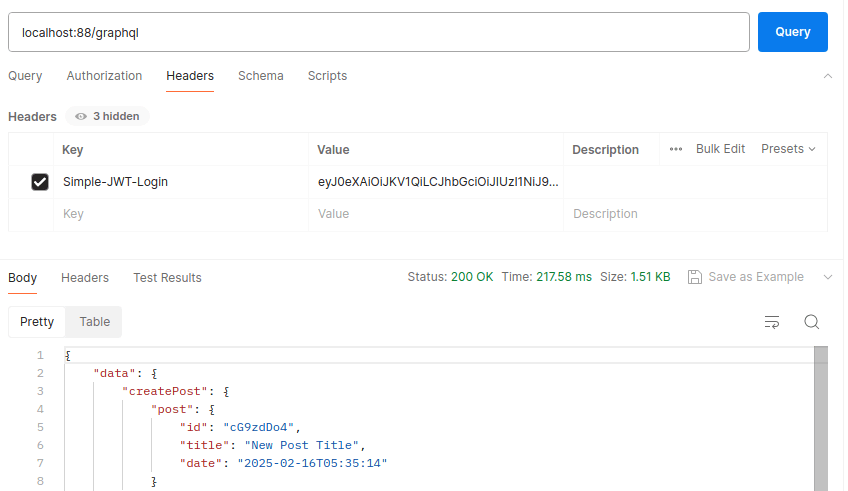
When a JWT is included with a WPGraphQL query, the plugin authenticates the request as the identified WordPress user before executing the query. This lets your GraphQL queries access user-specific data and perform mutations that require authentication - using the same JWT you already have from Simple JWT Login.
- Authenticate GraphQL requests with the same JWT tokens used for REST API calls
- Protect sensitive queries and mutations so only logged-in users can execute them
- Works with any front-end framework (React, Vue, Next.js, etc.) or mobile client that supports HTTP headers
Enable
Toggle Enable WPGraphQL authentication to activate the integration. No additional configuration is needed beyond providing a JWT with your GraphQL requests.
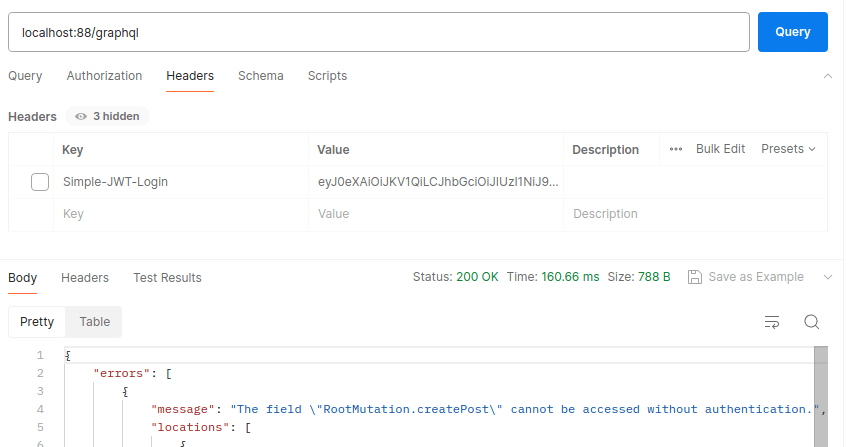
Without a JWT - the request is rejected:
With a valid JWT in the Authorization header:
curl -X POST "https://example.com/graphql" \
  -H "Authorization: Bearer YOUR_JWT" \
  -H "Content-Type: application/json" \
  -d '{"query":"{ viewer { name email } }"}'