Exchange OAuth Code for id_token
Overview
This endpoint exchanges the code returned from Google's OAuth flow for a Google id_token (and access_token). Use this when your OAuth flow happens in a separate app and you need to obtain the Google tokens server-side.
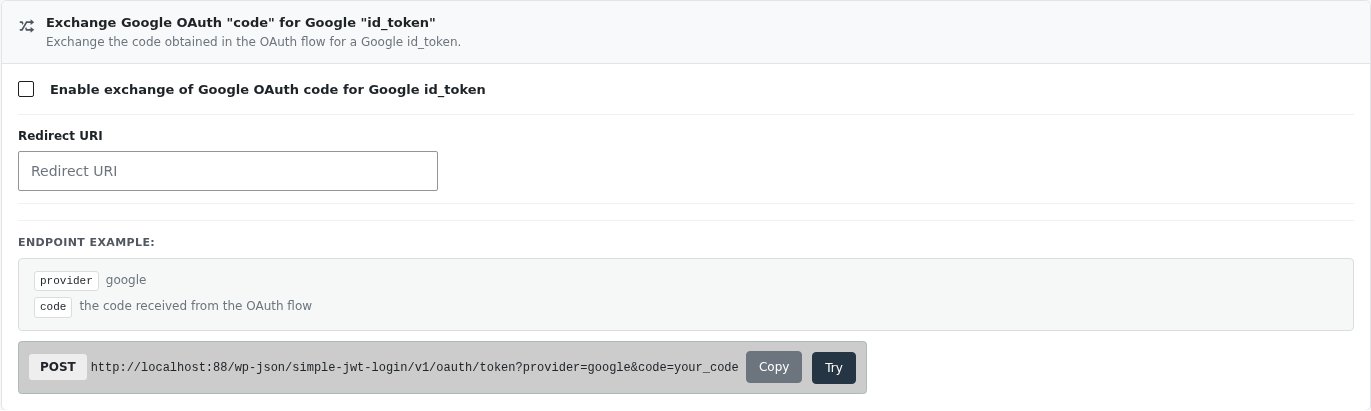
Enable Exchange Google OAuth code for Google id_token in Settings → Simple JWT Login → Integrations → OAuth → Google.
note
The redirect_uri used here must exactly match the one registered in your Google Cloud Console and saved in the plugin settings.
Endpoint
Method: POST
Endpoint: /simple-jwt-login/v1/oauth/token
| Parameter | Type | Description |
|---|---|---|
provider | required string | Set to google |
code | required string | The authorization code received from Google |
redirect_uri | optional string | Override the redirect URI saved in settings for this request |
Request Example
curl -X POST "https://your-site.com/wp-json/simple-jwt-login/v1/oauth/token" \
  -H "Content-Type: application/json" \
  -d '{"provider":"google","code":"YOUR_GOOGLE_AUTH_CODE","redirect_uri":"https://your-site.com/callback"}'
Response Examples
Success
{
  "success": true,
  "data": {
    "access_token": "ya29.access_token_here",
    "expires_in": 3599,
    "scope": "openid https://www.googleapis.com/auth/userinfo.email",
    "token_type": "Bearer",
    "id_token": "eyJhbGciOi..."
  }
}
Error
{
  "success": false,
  "data": {
    "message": "The code you provided is invalid. Bad Request. Invalid_grant",
    "errorCode": 72
  }
}
{
  "success": false,
  "data": {
    "message": "The code you provided is invalid. Bad Request. Redirect_uri_mismatch",
    "errorCode": 72
  }
}