Exchange id_token for WordPress JWT
Overview
This endpoint accepts a Google id_token and returns a WordPress JWT. Use this as the final step of the Google OAuth flow to authenticate the user in WordPress.
Enable Exchange Google id_token for a WordPress JWT in Settings → Simple JWT Login → Integrations → OAuth → Google.
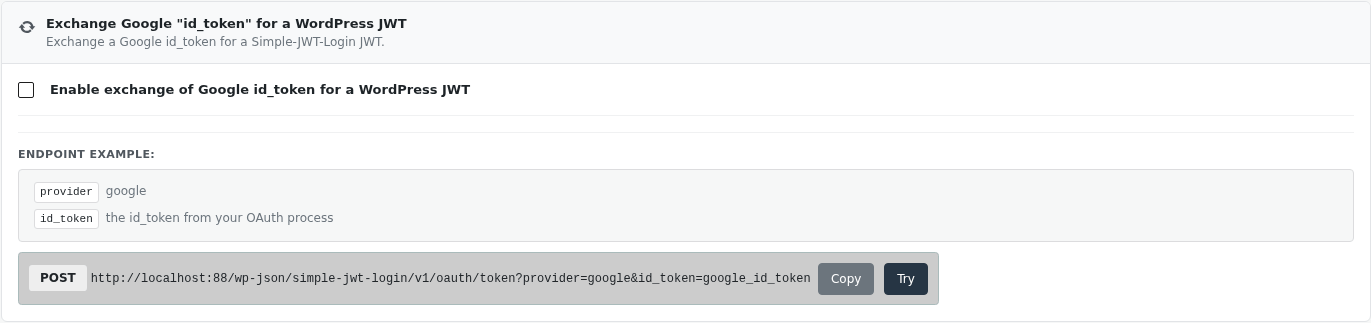
Endpoint
Method: POST
Endpoint: /simple-jwt-login/v1/oauth/token
| Parameter | Type | Description |
|---|---|---|
provider | required string | Set to google |
id_token | required string | The Google id_token from your OAuth flow |
Request Example
curl -X POST "https://your-site.com/wp-json/simple-jwt-login/v1/oauth/token" \
  -H "Content-Type: application/json" \
  -d '{"provider":"google","id_token":"YOUR_GOOGLE_ID_TOKEN"}'
Response Examples
Success
{
  "success": true,
  "data": {
    "jwt": "eyJhbGciOiJIUzI1NiIsInR5cCI6IkpXVCJ9..."
  }
}
Error
{
  "success": false,
  "data": {
    "message": "The code or jwt parameter is missing from request.",
    "errorCode": 71
  }
}